PiStorm64, aSCSI and IPv6: letting an Amiga boot from anywhere
This article is a story about refusing to accept that “everyone uses Emu68, so you should too” is the end of the discussion. Emu68 is excellent and widely loved. However, not everyone is everyone. Some of us want Linux on the Pi, a kernel driver, ZFS on a different box, and SCSI packets wandering...

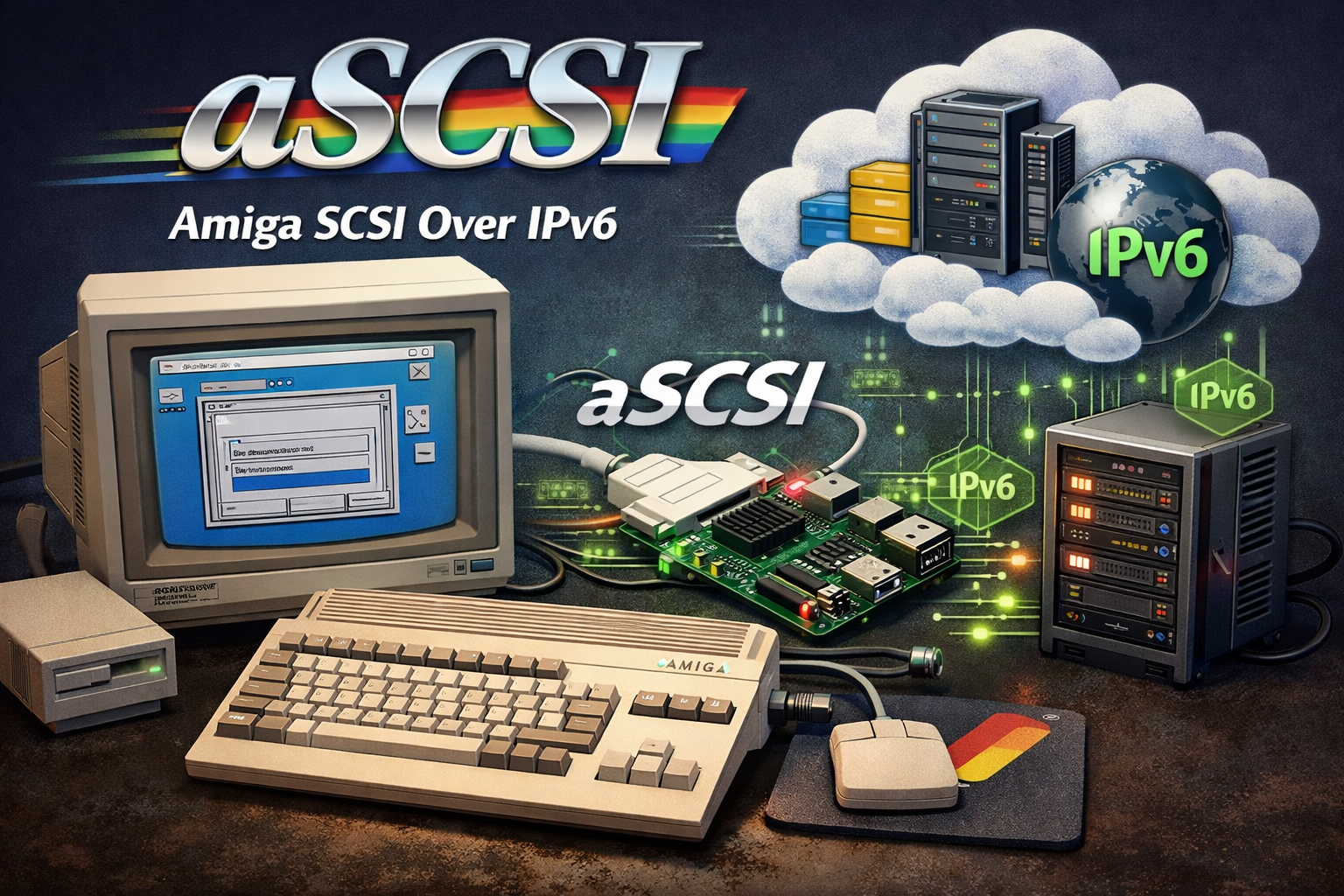
There is a certain joy in hearing a VIC‑20 tape relay click, a 1541 spin up, and watching a blue screen slowly fill with BASIC prompts. That rhythm trained a whole generation to be patient. Loading took time. Hacking took persistence.
Fast‑forward a few decades. The same spirit is still here, now wrapped around an Amiga 500, a Raspberry Pi 4, and a project called PiStorm.
This article is a story about refusing to accept that “everyone uses Emu68, so you should too” is the end of the discussion. Emu68 is excellent and widely loved. However, not everyone is everyone. Some of us want Linux on the Pi, a kernel driver, ZFS on a different box, and SCSI packets wandering happily across IPv6.
PiStorm64 is where that path led.
 akadata
Finding PiStorm (and keeping Linux)
PiStorm turned up as many of these things do: a recommendation, a GitHub link, and a board design from Claude, whose humility and kindness deserve a whole paragraph on their own.
The original PiStorm concept is simple and brilliant:
- Use a Raspberry Pi to emulate a 68k CPU
- Plug into the Amiga’s CPU socket through a CPLD
- Map Amiga bus cycles onto the Pi’s GPIO and do the work in software
Most people quickly jump to Emu68 as the CPU core. It is fast, elegant, and bare‑metal, however it also means that the Pi is no longer a general‑purpose Linux machine. For many setups that is perfect. For this adventure, that trade‑off was not acceptable. Linux was needed: for ZFS, for tooling, for running other services alongside the Amiga host.
So the journey went a different way: keep Linux, improve the PiStorm kernel backend, and make the bus protocol as efficient as possible.
From “it boots” to “this feels wrong”
After the first rounds of work, PiStorm64 on Linux could do the usual party tricks:
- 68030/040‑class performance on a Pi 4
- Dhrystone numbers in the 64k range
- 60+ MIPS and 30–35+ MFLOPS
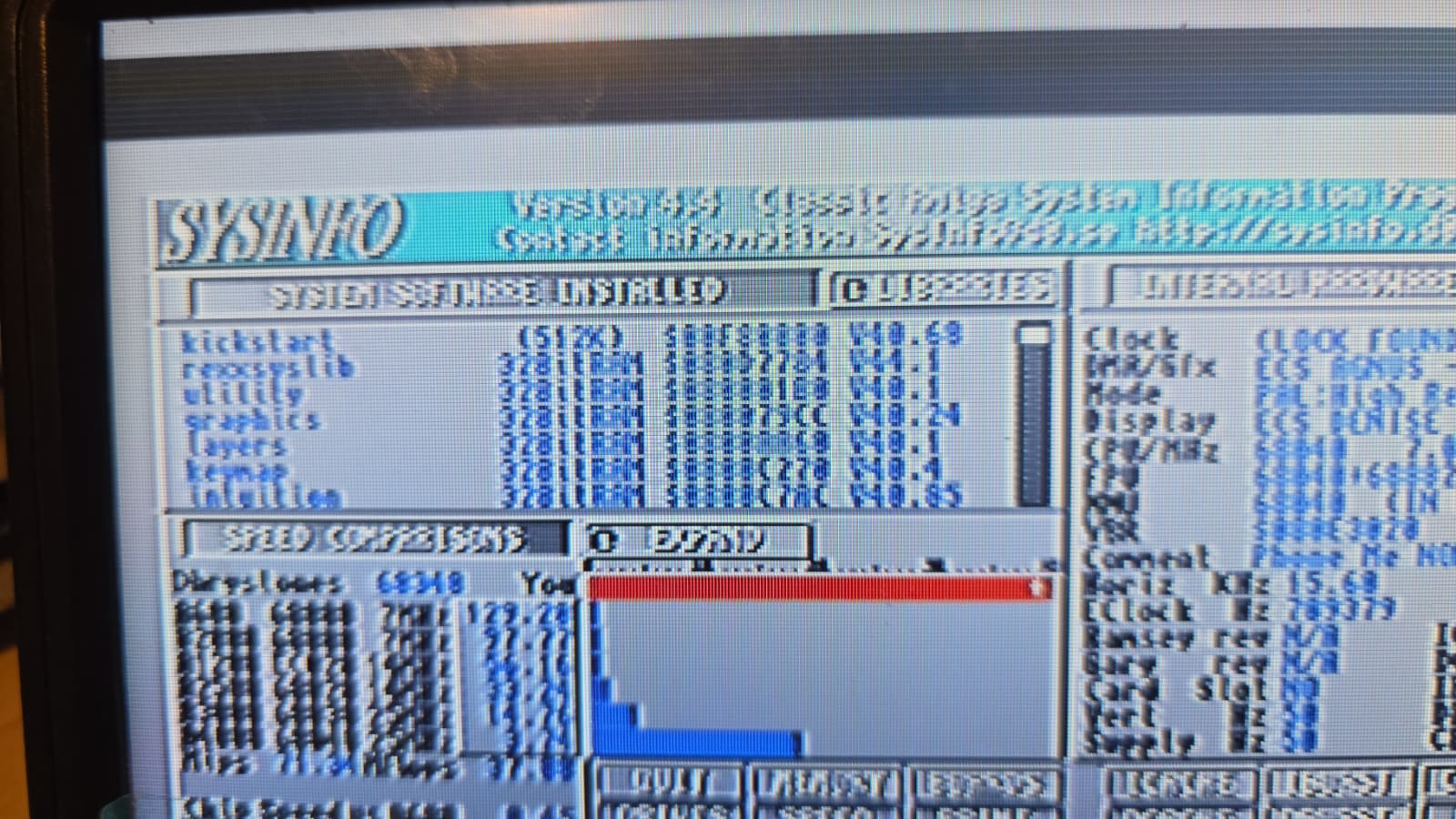
The Amiga Workbench felt snappy, CPU benchmarks looked healthy, and yet something was clearly off: disk I/O.
Workbench would open, things would run, then the whole system felt like it had heavy boots on. Reads and writes to hard‑file devices were often the limiting factor. The classic PiSCSI layer was doing its job, however it was not designed for this more ambitious, Linux‑centric vision.
So attention turned to storage.
Rewriting PiSCSI into PiSCSI64
The answer was not to keep tweaking the old code. The answer was to treat SCSI as a first‑class citizen of the PiStorm64 world and start fresh.
PiSCSI64 was born with a few clear goals:
- 64‑bit clean from day one
- Efficient batched I/O over the PiStorm bus
- A modern, TLS‑capable remote protocol
- Native awareness of different Amiga memory types
That last point matters. The Amiga has very different characteristics for FAST and CHIP RAM. Reading from FAST can be pushed far harder without disturbing the chipset, while CHIP will always be constrained by the original bus design. PiSCSI64 has to honour those realities.
A tiny benchmark tool and some surprising numbers
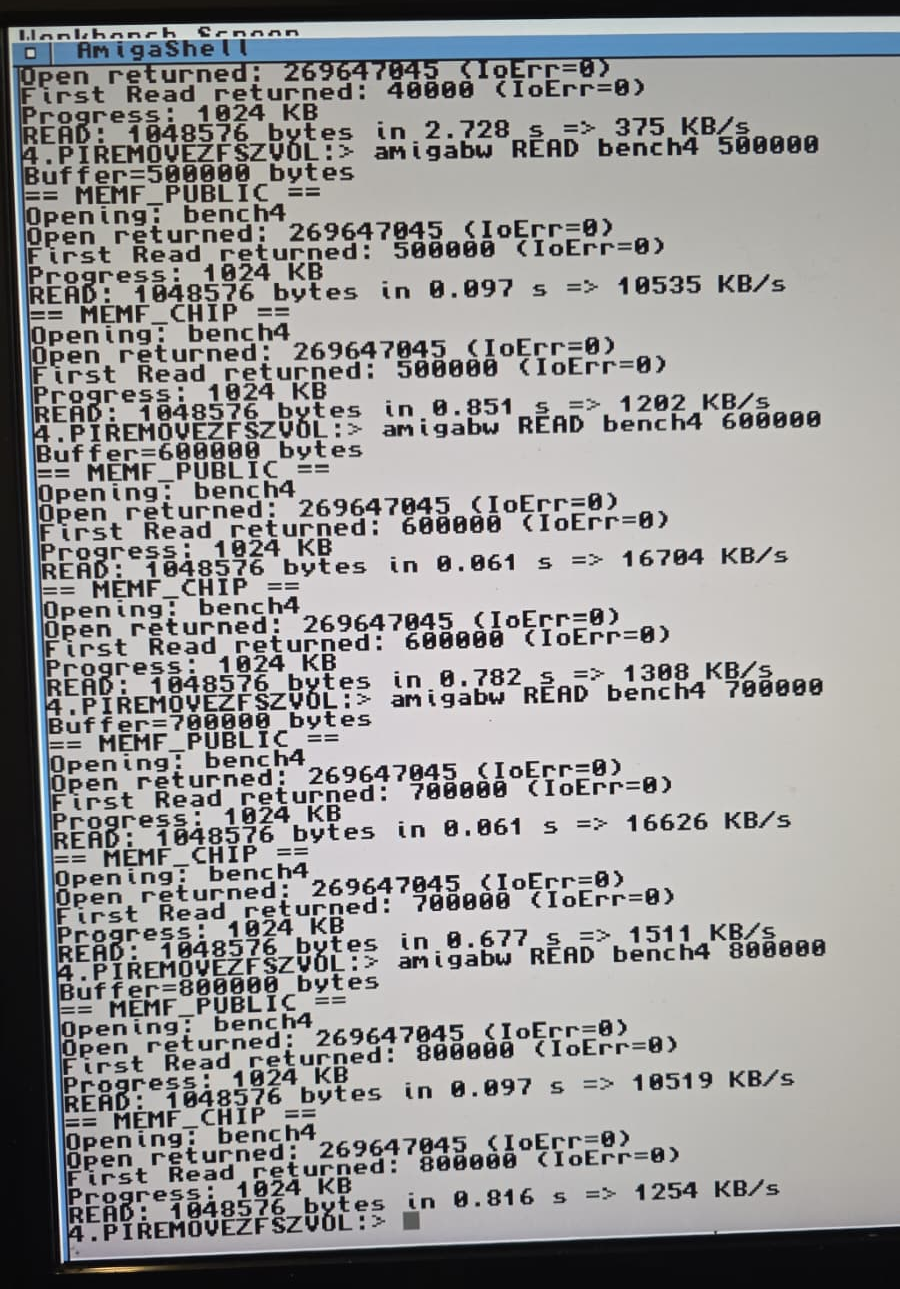
To make all this visible, a small Amiga‑side tool called amigabw came back into use. It does something very simple:
- Allocate a buffer in either MEMF_PUBLIC (FAST) or MEMF_CHIP
- Open a file on a PiSCSI64 device
- Read or write in chunks of a chosen size
- Time the result and print KB/s
With the new PiSCSI64 stack, remote disk throughput started to look very different:
- Remote disk over the network backed by ZFS on another machine
- ~10–16 MB/s from FAST RAM with sensible buffer sizes
- Around 1.2–1.5 MB/s from CHIP RAM, which is roughly as fast as CHIP can sensibly go
All of this was with verbose debug logging still enabled. The Amiga itself had no idea any of this complexity was happening. From its point of view, a SCSI device was just responding quickly.
SCSI disks on ZFS ZVOLs
Once the local performance picture looked healthy, the next obvious step was to stop thinking about disks as files on the Pi’s SD card.
Why not treat any block device reachable from the Pi as potential Amiga storage?
The first target was a ZFS ZVOL on a different host:
- A pair of FireCuda NVMe drives in a ZFS stripe on a server called
homer - A ZVOL exposed as
/dev/zvol/tank/piscsi64remotedisk - A small helper tool on the Pi:
sudo piscsi64-remote \
    --listen [::]:4964 \
    --export remotewb \
    --path /dev/zvol/tank/piscsi64remotedisk \
    --token 12345678 \
    --mode rw
This tool does exactly what its name suggests:
- Listens on a TCP port
- Exports the ZVOL as a SCSI‑like block device
- Protects it with a simple pre‑shared token
- Speaks a minimal wire protocol understood by pi‑scsi64.device
On the Amiga side, pi‑scsi64.device just thinks there is another SCSI controller somewhere on the bus.
The result: an Amiga 500 happily reading and writing to a ZFS‑backed disk that lives on a server elsewhere on the network.
And then another thought arrived.
Remembering that IPv6 exists
It is easy to forget that a modern FTTP connection and a friendly ISP can provide a full /48 or /64 IPv6 prefix. The Pi 4 sitting quietly in the Amiga’s shadow already had native IPv6:
- A static IPv6 address on the local LAN
- A default gateway
- Proper routing to the wider world
PiSCSI64’s remote tools already understood TCP and TLS. They simply needed to understand hosts in IPv6 form:
hosthost:port[ipv6][ipv6]:port- Bare IPv6 literal with a default port
IPv6 and IPv4 stacks running side by side, two scsi ID's used
Yes we can run multiple clients on the same workstations, or even have then around the world.
sudo piscsi64-remote \
    --listen [2a02:8012:bc57:1:2:c0de:baba:babe]:4964 \
    --export remotewb \
    --path /dev/zvol/tank/piscsi64remotedisk \
    --token 12345678 \
    --mode rw
It will show TLS setup , listen and validation
[piscsi64-remote] tls client=[2a02:8012:0000:1:2::ab1a]:36940
version=TLSv1.2 cipher=PSK-AES256-GCM-SHA384 bits=256
[piscsi64-remote] client=[2a02:8012:0000:1:2::ab1a]:36940
export=remotewb mode=rw kind=disk block=512 size=8589934592
[piscsi64-remote] disconnect client=[2a02:8012:0000:1:2::ab1a]:36940
ms=384400 reads=828/3245060B writes=6/22528B pings=131
It is the same for IPv4
sudo piscsi64-remote \
    --listen 0.0.0.0:4965 \
    --export awstest \
    --path  amiga-awstest.hdf \
    --token 1234 \
    --mode rw
And here we see again TLS Setup and healthcheck
[piscsi64-remote] client=172.16.0.3:39312 export=awstest
mode=rw kind=disk block=512 size=1073741824
[piscsi64-remote] disconnect client=172.16.0.3:39312
ms=384045 reads=68/267268B writes=9/14336B pings=25
So the code grew native IPv6 parsing on both client and server sides. Log messages learned to print endpoints as [addr]:port. Configuration strings learned to accept tokens like:
remote:token@[2a02:8012:bc57:1:2::ab1a]:4964/workbenchremote:token@2a02:8012:bc57:1:2::ab1a/workbench
Validation runs confirmed the picture:
- IPv4 client from the Pi to the server
- IPv6 client from the same Pi to the same server
- Distinct secrets, distinct exports
- Both backing different Amiga devices at the same time
The Amiga still has no clue about any of this. It sees SCSI units and LUNs. It does not know or care that one is coming over IPv4 and another is flying across IPv6, landing on a ZVOL in a different machine, or soon in a public cloud.
How is it configured?
It is really simple and below gives a few examples for your new amiga.cfg
setvar piscsi64

#setvar piscsi64_2 ../Amiga/68060new.img
#setvar piscsi64_1 /opt/Amiga/hdf/KernelPiStormBench.hdf
#setvar piscsi64_4 ./src/platforms/amiga/pistorm.hdf

#setvar piscsi64_3 cdrom:../AmigaOS39.iso

#setvar piscsi64_5 disk:/dev/disk/by-id/usb-A22E2-0:0,mode=rw

setvar piscsi64_3 remote:12345678@[::]:4964/remotewb,mode=rw
setvar piscsi64_14 remote:1234@172.16.0.2:4965/awstest,mode=rw
aSCSI: not quite iSCSI, very Amiga
SCSI over IP is not new. iSCSI exists and works well, however it carries a lot of baggage and assumptions. AmigaOS, especially in 68k form, deserves something lighter.
PiSCSI64’s remote protocol leans toward an “aSCSI” approach:
- Small, fixed‑size headers
- Simple request/response framing
- Tuned for modest Raspberry Pi hardware
- Tuned for the peculiarities of the PiStorm bus
On a modern FTTP connection with a 1 Gbit/s bottleneck on copper, the limiting factor quickly becomes normal WAN latency rather than the Amiga or the Pi. For many workloads — backups, software installs, data migration — that trade‑off is more than acceptable.
The fun part is not chasing absolute maximum throughput. The fun part is letting an Amiga talk to storage that lives anywhere reachable via IPv6, in a way that still feels like using an Amiga.
What this unlocks
Once the plumbing exists, use‑cases start to multiply.
Cloud‑backed system disks
Store a Workbench image on a ZFS ZVOL hosted on a home server, or even on a small cloud instance. Boot the Amiga from that image over PiSCSI64.
Backups become ZFS snapshots. Rollbacks become zfs rollback. Migration becomes sending ZFS streams to a new box.
Shared development disks
Developers can share a common SCSI disk image hosted centrally. Multiple Amigas, real or emulated, can mount their own views and copy files at full PiSCSI64 speed.
This is particularly appealing for development kits, SDKs, and toolchains that are painful to rebuild for each machine.
Cold storage and archival
Old Amiga projects can live safely on redundant storage, while still being only a mount command away from appearing as a SCSI device on real hardware.
The mismatch between ancient bus timings and modern storage safety starts to shrink.
HDToolBox quirks and SCSI IDs
During testing one amusing discovery emerged.
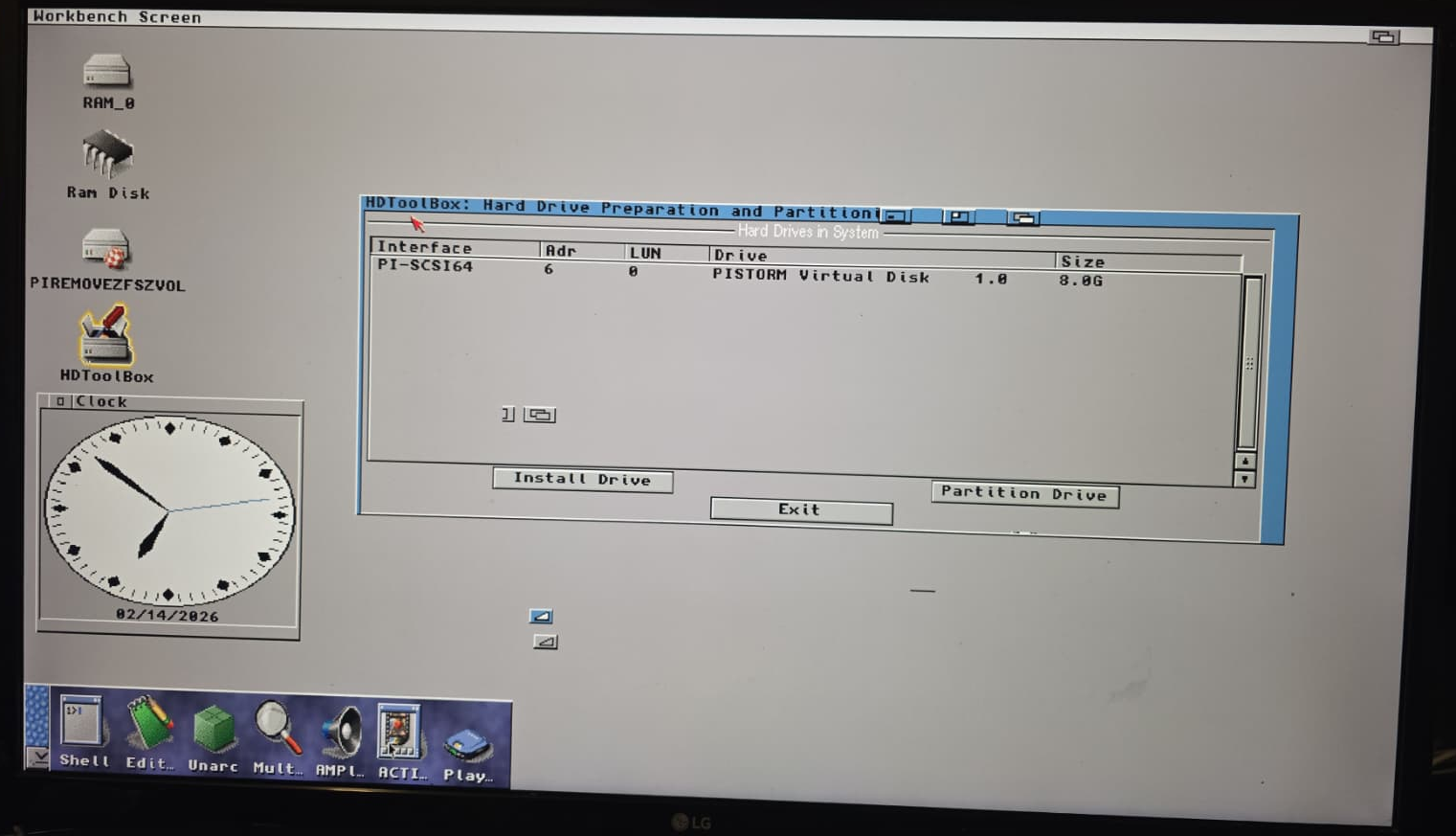
The Amiga operating system can happily talk to SCSI devices with IDs above 7 when they are already partitioned and formatted. A PiSCSI64 disk on ID 14 works just fine.
However, HDToolBox itself assumes classic narrow SCSI. It will only scan IDs 0–6. The result:
- PiSCSI64 can present a disk at ID 14
- AmigaOS can mount and use it
- HDToolBox refuses to acknowledge its existence
This is not a PiSCSI64 bug. It is an Amiga tooling limitation baked into very old assumptions. In practice, a sensible layout still keeps primary devices on low IDs and leaves the exotic range for special cases.
Giving credit where it is due
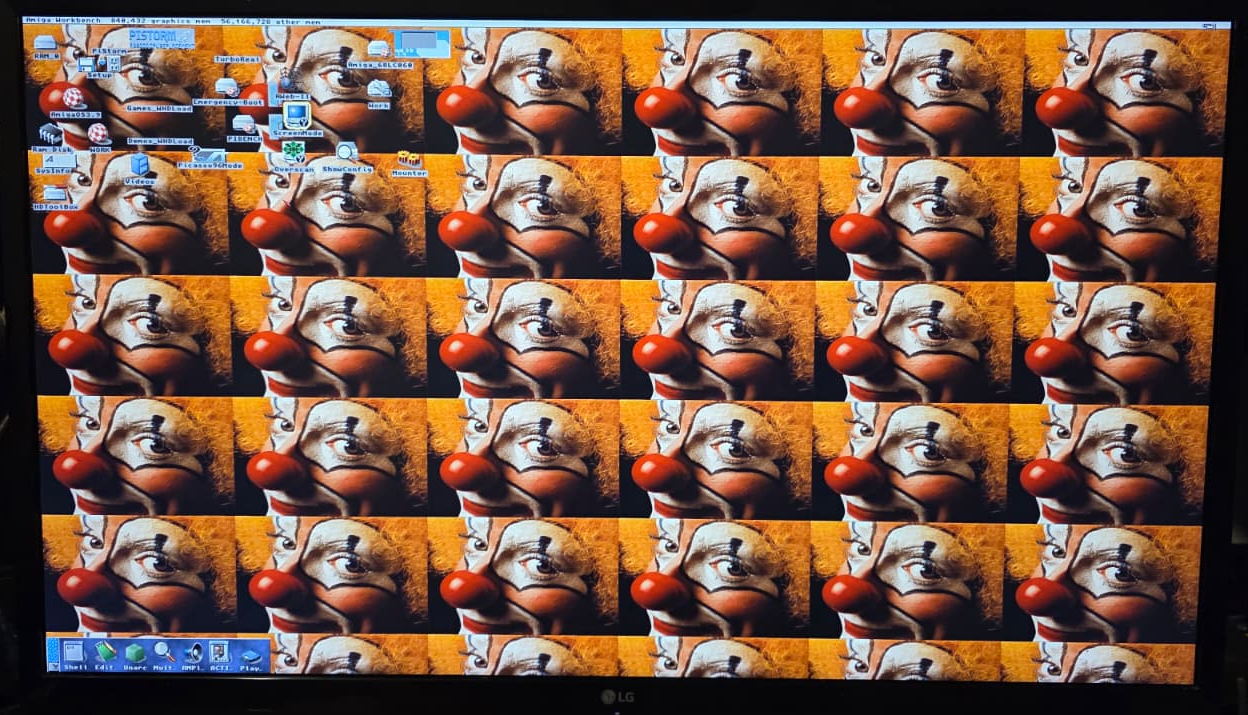
None of this happens alone and we still have some bugs to fix ourselves or maybe you want to help? Can you see the glaring mistake with the image below?
Claude’s original PiStorm design opened the door for Pi‑powered accelerators and experiments. Emu68 proved just how far bare‑metal 68k emulation can go and continues to push the envelope. Both are gifts to the community.
Tools like DiagROM, Picasso96, and the modern AmigaOS 3.2 NDK show that 68k Amiga development is very much alive. They are all part of the toolbox that makes work like this possible.
PiSCSI64 and pi‑scsi64.device stand on all those shoulders. The journey here is not an argument against Emu68 or anyone’s favourite stack. It is a reminder that there is room for many paths:
- Bare‑metal speed demons
- Linux‑backed, ZFS‑loving weirdos
- FPGA recreations
- Original hardware, patched and coaxed into new shapes
Everyone brings something different.
Where this goes next
A few directions are already forming:
- Smarter batching and DMA‑style transfers from CHIP to FAST
- Cleaner tooling for setting up remote exports on ZFS, LVM, and raw devices
- Simple GUIs on the Amiga side to pick remote disks, much like a modern NAS chooser
- Optional integration with cloud providers for people who enjoy truly remote Amiga setups
And, quietly underneath all that, a simple promise: an Amiga 500 with a Raspberry Pi 4 in its socket can talk to storage anywhere in the IPv6‑reachable universe.
The loading times from cassette are not coming back. The patience learned in those days is still paying off.
There will be benchmarks, scope shots, and wiring diagrams in future posts. For now, this is the story of how a love of Linux, ZFS, IPv6 and old Commodore hardware collided and turned into PiSCSI64 — or, perhaps more fittingly, aSCSI: SCSI with a distinctly Amiga accent.
Tech Scroll 130 – Not Everyone Is Everyone
There is a line written of people which fits machines surprisingly well:
"For as we have many members in one body, and all members have not the same office: so we, being many, are one body in Christ, and every one members one of another."
— Romans 12:4–5
In the body, the eye does not complain that it is not a hand. The ear is not measured by how well it walks. Each part has its task, and the body only works when difference is allowed to stay different while serving the same head.
The Amiga world echoes this. Emu68 races like a sprinter, bare metal on polished track. PiStorm64 with Linux works more like a porter, carrying ZFS, IPv6, TLS and strange new storage up the mountain. Asking them to be identical would be like asking a lamp to draw water or a well to light a room.
The pattern is simple: the Master builds with many tools. The crowd says, "everyone does it this way" and tries to press all things into one mould. Scripture says each receives a gift and is expected to use it faithfully, not fashion it into a copy of the neighbour's. Emu68, PiStorm64, aSCSI and every small script, trace and board in between are just different members doing their part.
Not everyone is everyone. And that is exactly how a body, a community and even an old Amiga stay alive.
 akadata
Emu68 little helper
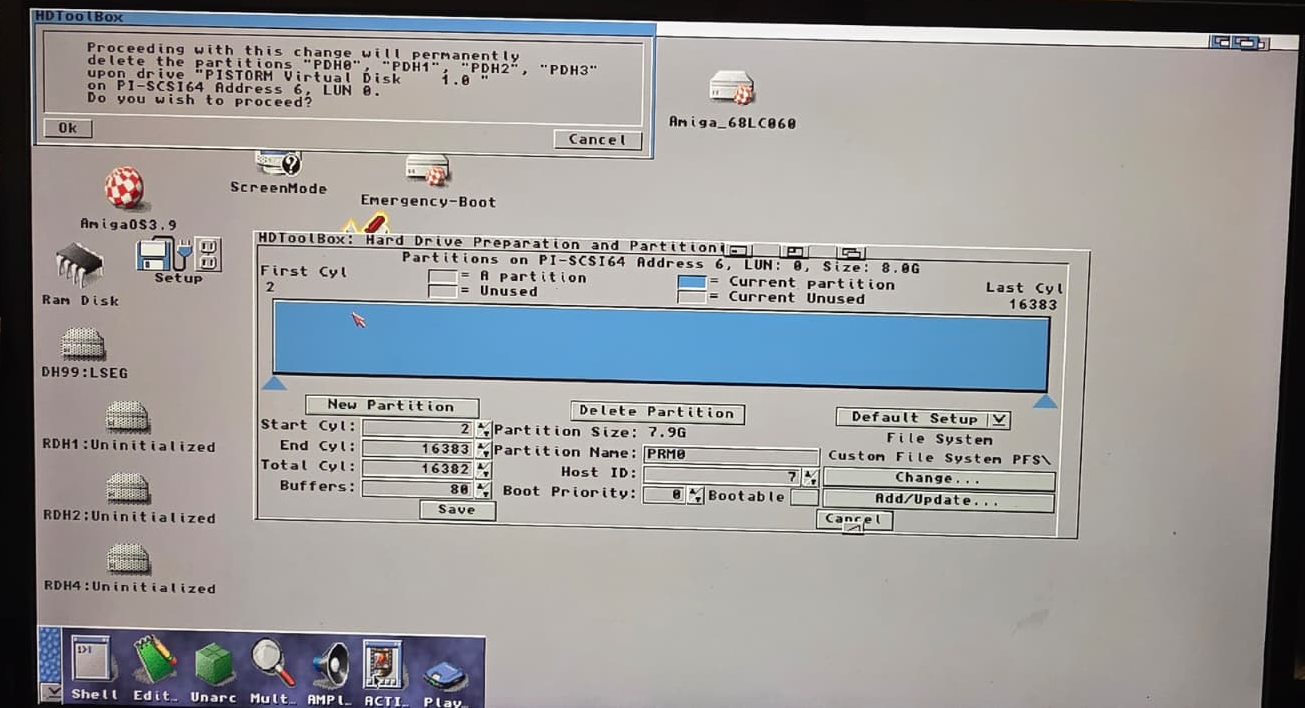
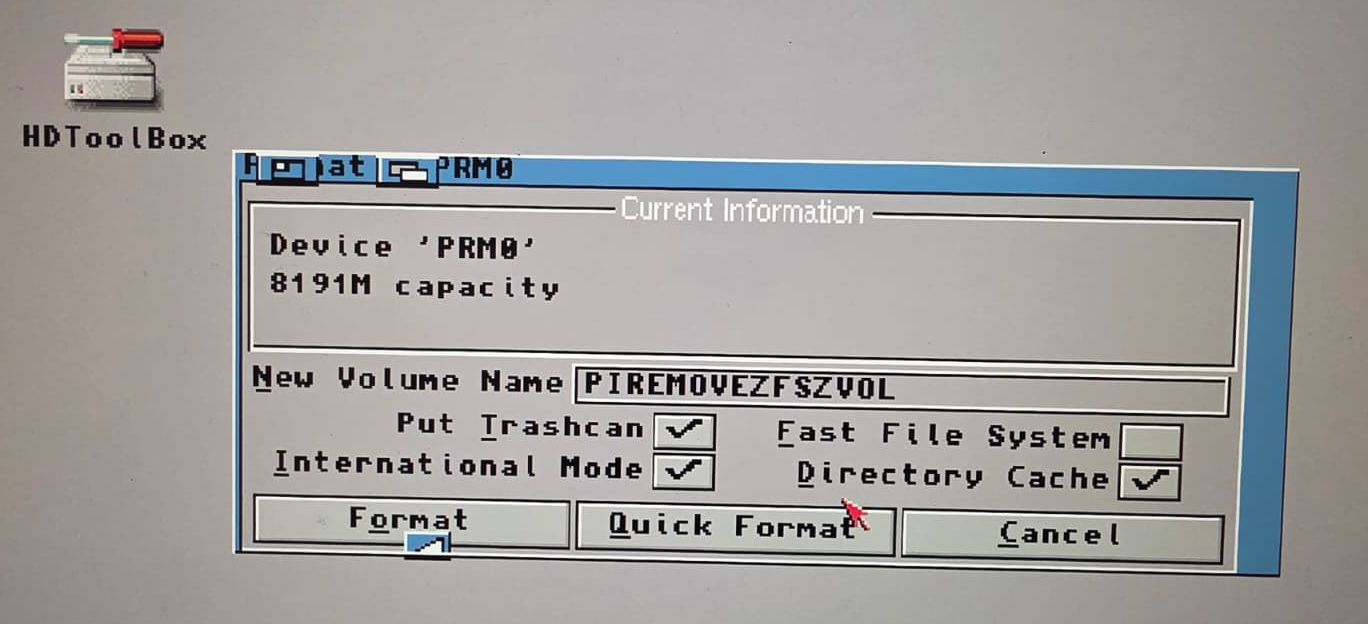
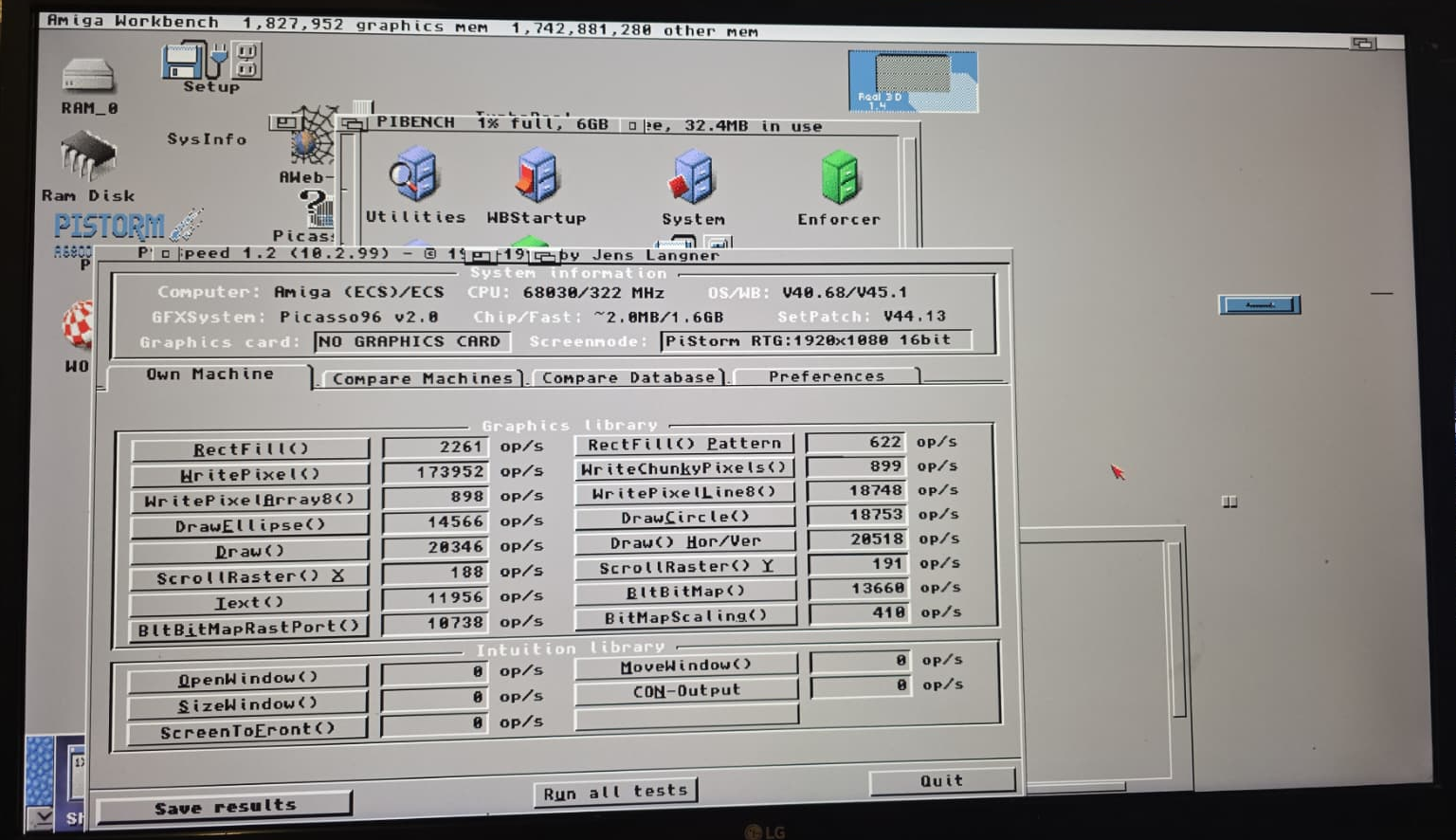
And just to quietly underline the practical consequence of all this: PiSCSI64 is not limited to pre-made images. It will quite happily present real disks and real partitions to AmigaOS, letting you initialise, partition and format them entirely from within PiStorm64. That means a 64‑bit Pi 4 can sit there on Linux, PiStorm64 running from a disk anywhere in the world, while you use that same setup to create and prepare Emu68 images on a humble SD card that never needs to see the heavy lifting. One body, many members, even in storage.
 akadata